


How to Organize Tax Paperwork After 50 (So Nothing Gets Missed)

Updated: Feb 17

I have always dreaded doing my taxes.
Even as a professional organizer, I was behind every year.
The paperwork was not terrible, but it was scattered.
I kept fretting whether I had everything I needed.
Last year, I decided to get it under control. I did not create a fancy system. I used something basic. In hindsight, it was obvious.
I grouped my tax paperwork by purpose and gave each group a clear place to live.
This year, the difference surprised me. I am no longer putting my taxes off. Everything I need is in one place, and I know I am ready.
Getting ready for tax season after 50 is not about being tidy. It is about protecting your money. At this stage of life, there are tax credits and deductions that can lower what you owe or increase your refund. These include pension income credits, medical expenses, accessibility upgrades, and property taxes. You can only claim what you can prove.
The issue isn't missing paperwork. It's scattered paperwork. Slips end up in drawers. Receipts land in bags. Others are buried in emails. When tax time arrives, people rush, miss documents, or pay extra for help to track things down. That is how money gets left on the table.
That is why this guide starts with paper. Paper makes the thinking easy. You can see what you have, group it, and set clear categories without overthinking. Once that structure is in place, going digital is simple. Digitizing becomes an action step, not a thinking step.
Even if you plan to keep everything digital, starting with paper helps prevent mistakes and missed documents. It gives you a clear structure you can use right away and an easy path to go digital later without starting over.
Here is the simple paper system I use to get ready for tax season, and the one I set up for my clients.
The Five Essential Folders
Step 1: Set Up the Paper Categories
Start with five manila folders or envelopes. Label them clearly. These are your tax categories for the year.
Income
T4s, T5s, pension slips, and RRSP or RRIF statements go here. Anything that shows money coming in belongs in this folder. After 50, income often comes from more than one source. Keeping it together helps you catch missing slips.
Medical
Prescription receipts, dental bills, eyeglasses, hearing aids, and other health expenses go here. After 50, these add up. You need receipts to support the claim. These records support claims such as the Medical Expense Tax Credit Canada, which requires clear documentation if reviewed.
Donations
All charitable donation receipts go here. If you donate throughout the year, this keeps them from scattering and makes sure you claim the full credit.
Property or Rent
Your property tax bill if you own. Rent receipts if you rent and your province offers a credit. This matters even more if you are on a fixed income.
Reference
Your Notice of Assessment from last year. It shows your RRSP contribution room and confirms what the CRA has on file. You do not submit it, but you may need to check it.
That is it. Five categories. No accordion files. No colour coding. Just five labeled folders you can see.
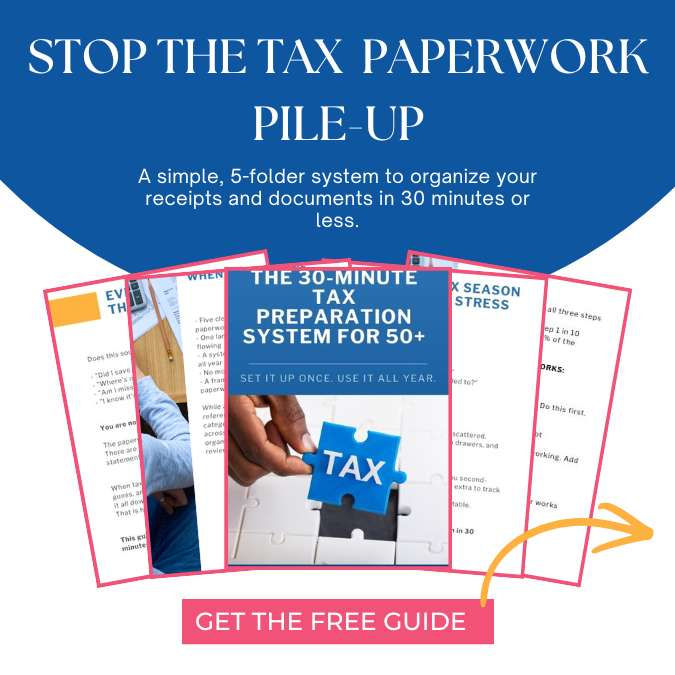
This is why I created The 30-Minute Tax Paperwork System for 50+.
It walks you through setting up this paper structure step by step, using the same categories I use myself and with my clients. You can do it in about half an hour, pause when you need to, and come back to it later.
Step 2: Keep the Paperwork Flowing
Pick one spot where tax mail lands. A tray, a drawer, one place.
When mail arrives, open it right away. Keep the slip. Recycle the rest. Put the slip in the correct folder.
Do not create a temporary pile. Open, sort, done.
This takes thirty seconds. It prevents drift.
Drift happens when one envelope sits unopened, then another joins it, then you lose track of what you have.
Most people are capable of this. They just never decided where things should go. Once you decide, it becomes automatic.
Step 3: Moving From Paper to Digital
Going digital is optional. If you want to do it, wait until the paper system is working.
Create one main folder on your computer. Call it something clear like "Tax 2025." Inside it, create the same five categories:
Income
Medical
Donations
Property or Rent
Reference
Save emailed documents to the right folder. Scan or photograph paper receipts and save them the same way.
Name files simply. Use the date and what it is, for example, "2025-01-15 Pharmacy Receipt."
You are copying a system, not inventing one.
Step 4: What You Don't Need to Do
You do not need to scan everything the day it arrives. Monthly batches are fine.
You do not need special software. A basic folder works.
You do not need to submit receipts when you file. The CRA only asks if they review your return.
You do not need perfection. Add what you find and keep going.
The system is simple. The trouble comes from overthinking.
Step 5: The "File Now, Proof Later" Rule
Here is how tax filing works.
When you file your return, you enter totals. You add up your medical expenses or donations and enter the number. You do not send in receipts.
The CRA processes your return and sends a Notice of Assessment confirming what they accepted.
Later, sometimes years later, the CRA may ask you to prove a claim. That proof usually takes the form of CRA tax receipts or official statements you can produce on request.
This is why you keep records for at least six years after the end of the tax year. If you cannot produce proof when asked, you may have to repay the credit. Having your folders organized means you can respond quickly and protect your refund.
Step 6: Avoiding the Usual Trouble Spots
Medical receipts are spread across providers.
You might see a dentist, a physiotherapist, a chiropractor, and a family doctor. Each one generates receipts. If you do not have a single folder for all of them, they end up in different places. Group them as they come in.
Pharmacy summaries not requested.
Many pharmacies will print an annual summary of your prescriptions. This is easier than keeping every single receipt. Ask for it in January. Some pharmacies charge a small fee. It is worth it.
Accessibility upgrades forgotten.
If you installed grab bars, a walk-in tub, or a stair lift, you may qualify for the Ontario Seniors Care at Home Tax Credit, which is often missed because the paperwork is not kept together. The invoice goes in your Medical folder. People forget about these because they happen once and do not repeat like prescriptions.
Property tax paperwork is misplaced.
Your property tax bill usually comes once or twice a year. It does not arrive with your T4, so it is easy to overlook. When it comes, put it in your Property or Rent folder immediately.
Donation receipts are scattered.
If you donate throughout the year, receipts trickle in. They arrive in different envelopes at different times. Without a folder, they scatter. One folder solves it.
These are not problems with your memory or your ability. They are problems with not having a clear place for things to go.
You Are Ready
This system takes about thirty minutes to set up.
Even capable people struggle with tax paperwork. They don't struggle because they are disorganized, but because they were never told simple categories and where to put things. Once you know, it is easy.
If you are still feeling stuck, that is normal. Sometimes, having someone come to your home and physically show you how makes the difference. That is part of what we do at In and Out Organizing. We work with adults 50+ in Toronto. We can help you set up simple systems that protect your money and reduce stress — with humour, compassion, and practical support.
You do not need to do this alone. And you do not need to dread it. The system is simple. The categories are clear. Everything you need is now in one place.
About In and Out Organizing and the Writer
Cathy Borg is a Toronto-based professional organizer specializing in rightsizing, downsizing, and estate clearing for adults 50+. She's a partner at In and Out Organizing, a family business that helps families reduce overwhelm, reclaim usable space, and transition smoothly to their next chapter — with humour, compassion, and practical decision-support.
Ready for Your Stress-Free Toronto Downsizing Consultation?
Book your free 30-minute clarity call — just a conversation, no judgement and no home visit required.
📞 Call/Text Brad: 416-859-0518📧 Email: info@inandoutorganizing.ca🌐 Visit: www.inandoutorganizing.ca💛 Making Space for Your Life™
This guide is about organizing paperwork, not giving tax or financial advice. Tax rules change, and what applies to one person may not apply to another. Always confirm credits, deductions, and filing decisions with your accountant, financial planner, or the Canada Revenue Agency (CRA).



I certainly don't enjoy doing taxes. I try to keep it as simple as possible but with a widow's pension arriving from the UK that changes each month according to what the exchange rate is for that month and having two businesses to track, I find it does take time.
One thing I do is have a red folder at the back of my files labeled Taxes. All year round I drop into it any paper that I will need at tax preparation time. I don't even sort them - just get them into that folder. Almost all medical and prescription information I can get an end of year summary. I keep up with all monetary donations. My accountant send…